









Updated 19 hours ago
Text Control Blog
Stay ahead with the latest news, updates, and insights on Text Control products and innovations.
Meet Text Control at code.talks 2026: Spreadsheets, Documents, and More
Text Control is heading to Hamburg for code.talks 2026 on November 4-5. Stop by our booth to meet the team, explore our latest developer technologies, and be among the first to experience TX Sheet Control, our brand-new spreadsheet component. We will be introducing it to the developer community there.

Text Control Proudly Sponsors .NET Conf 2026
Text Control is proud to sponsor .NET Conf 2026, the annual virtual conference bringing together developers, Microsoft engineers, and industry experts from around the world. Taking place November 10-13, 2026, the event celebrates the official launch of .NET 11 and the technologies shaping the future of software development.

Introducing TX Sheet Control: Excel Compatible Spreadsheets and Interactive Dashboards
We are pleased to introduce TX Sheet Control, the latest addition to the Text Control product family. TX Sheet Control brings together Excel-compatible spreadsheet editing, a powerful calculation engine, and interactive dashboards. Designed for integration into business applications, TX Sheet Control offers a combination of familiar spreadsheet functionality and new ways to organize, explore, and present workbook data.
Convert DOCX to PDF, PDF/A and PDF/UA in C# Using TX Text Control
Learn how to convert Word DOCX documents to PDF in C# using TX Text Control .NET Server. This tutorial covers file-based and in-memory conversion, PDF/A export, document metadata, font deployment, and returning PDFs from ASP.NET Core.
Blog
Trending posts
ASP.NETASP.NET Core
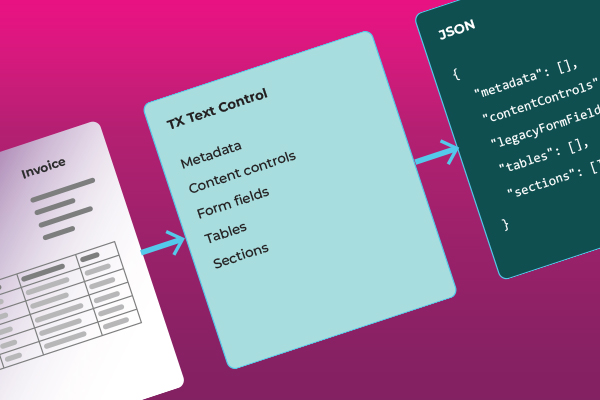
How to Extract Structured Data from Word Documents in C#
Learn how to extract tables, content controls, legacy form fields, and document metadata from Word documents with TX Text Control. This generic C# sample preserves the structure of documents and the values of fields in JSON without requiring template-specific mappings.


ASP.NETASP.NET Core
Building a Production-Ready PDF Generation Pipeline in C# with ASP.NET Core
Learn how to build a reliable PDF generation pipeline with TX Text Control and ASP.NET Core. Use durable background jobs, idempotency, renewable leases, PDF validation, and private artifact storage to recover from retries and worker crashes while preserving one traceable business result.
AIGrammar Check
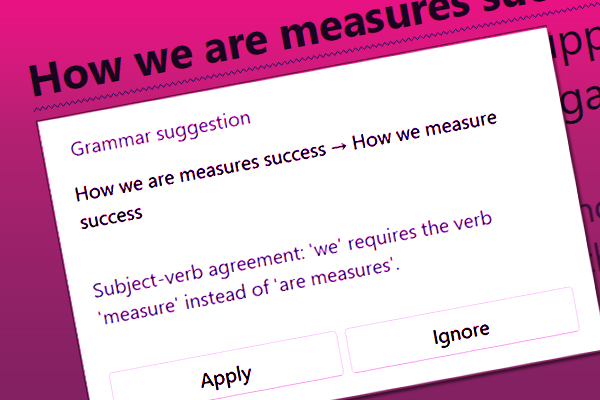
AI-Powered Grammar Checking in TX Text Control .NET for Windows Forms in C#
Learn how to integrate AI-powered grammar checking into TX Text Control .NET for Windows Forms with a local large language model. This allows you to detect grammatical errors, improve sentence structure, and provide contextual writing suggestions directly in the document editor, eliminating the need to send sensitive documents to external services.

AIGGUF
Adding an AI Sidebar to TX Text Control .NET for Windows Forms
Add AI writing tools to TX Text Control Windows Forms with a reusable sidebar component. Summarize, rephrase, translate, and review grammar in the editor. Clone the sample, download the Qwen3.5-4B GGUF model from Hugging Face, and connect it through the built-in settings dialog.


AIASP.NET
WeAreDevelopers World Congress North America 2026: A Strong Start in the United States
This week marked the beginning of the WeAreDevelopers World Congress North America 2026, showcasing innovative technologies and networking opportunities for developers. We exhibited our latest products and engaged with the developer community.

AIASP.NET
Building Legal Document AI with TX Text Control: From RAG and Contract Analysis to AI-Assisted Editing
Learn how TX Text Control uses AI, RAG, and deterministic document processing to create intelligent workflows for analyzing, summarizing, and reviewing legal documents. Learn how AI can analyze private legal knowledge, suggest goal-oriented changes, and apply them as controlled, reviewable tracked changes directly to documents.